Create a Login.gov Account
Step 1: Sign Up
Navigate to https://secure.login.gov/. Sign up to create a new account with your email address.
*Note: If you have registered in the OSDR workspace console or submission portal using your Gmail account previously, you will need to register again at https://secure.login.gov/. Please make sure to use the same Gmail address so you can access your existing studies/files.
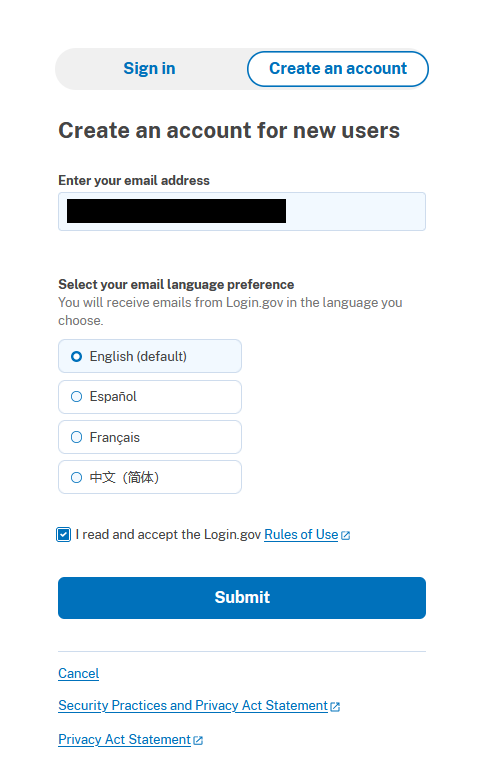
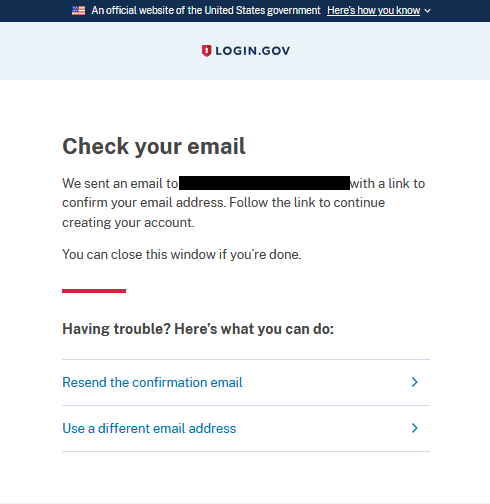
The next screen will confirm that a link was sent to your email to complete registration.
Step 2: Verify Email
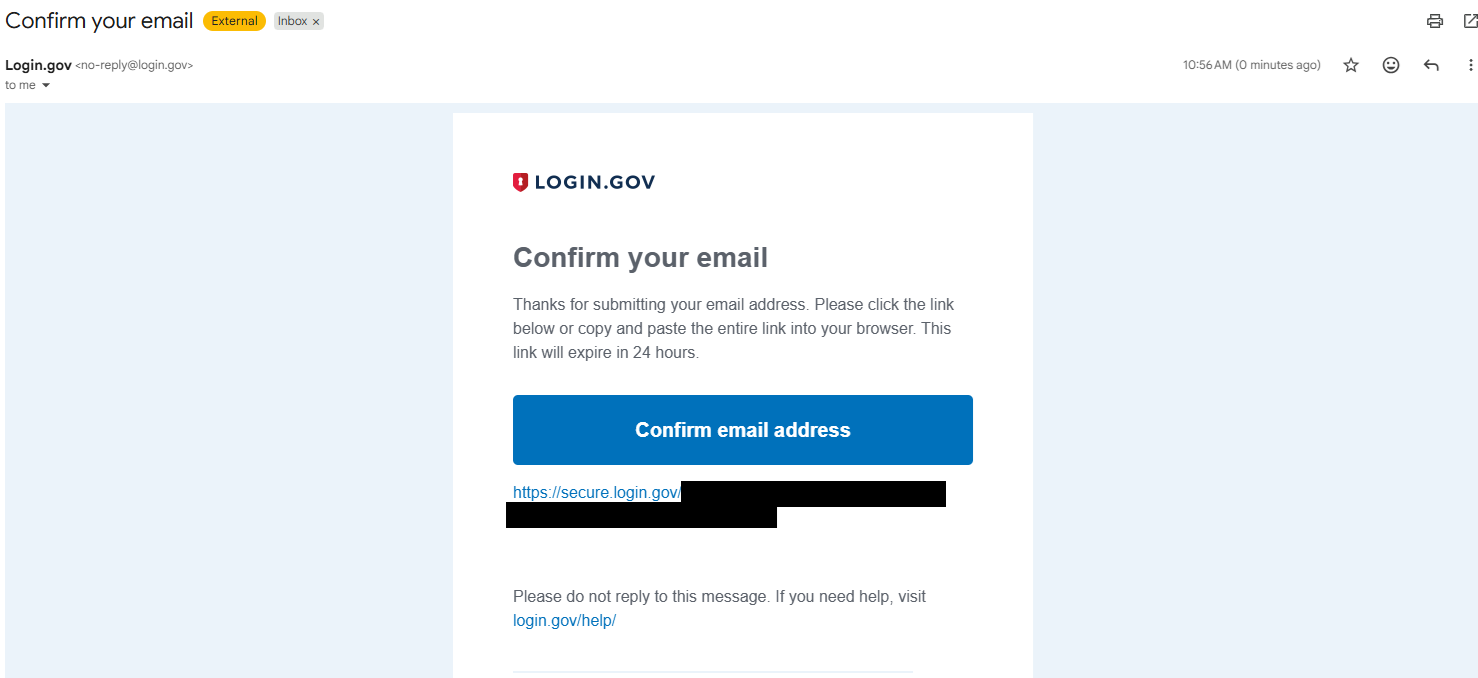
Access your e-mail and search for the subject “Confirm your email”. Click the blue box with the text “Confirm email address” or the hyperlink below it to set up your account password.
Step 3: Set Password
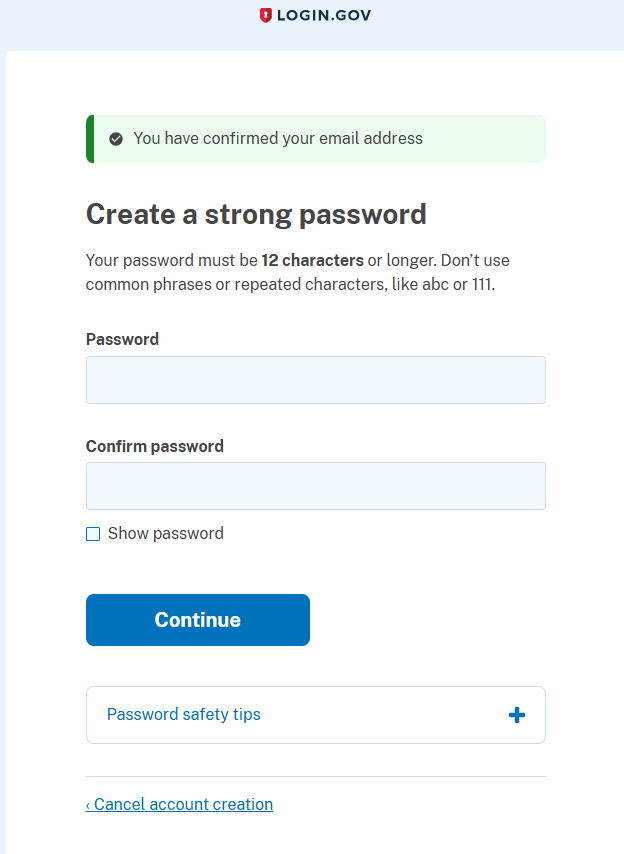
Set up an account password. A password must be at least 12 characters long.
You will be asked to add at least one additional authentication method. Follow the instructions for whichever one you select.
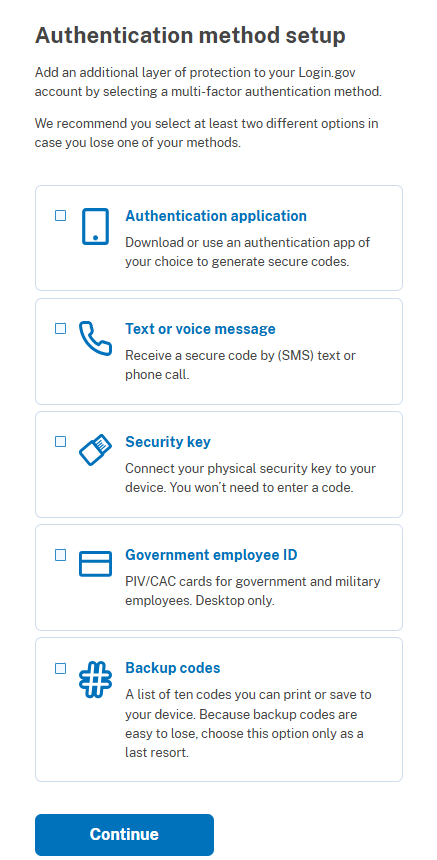
Step 4: Registration Complete
Registration is complete. This account is used to access both the OSDR Biological Data Management Environment (BDME) and Workspace.
Step 5: Log In
Go to the OSDR Submission Portal and Workspace and click “Login through Login.gov”
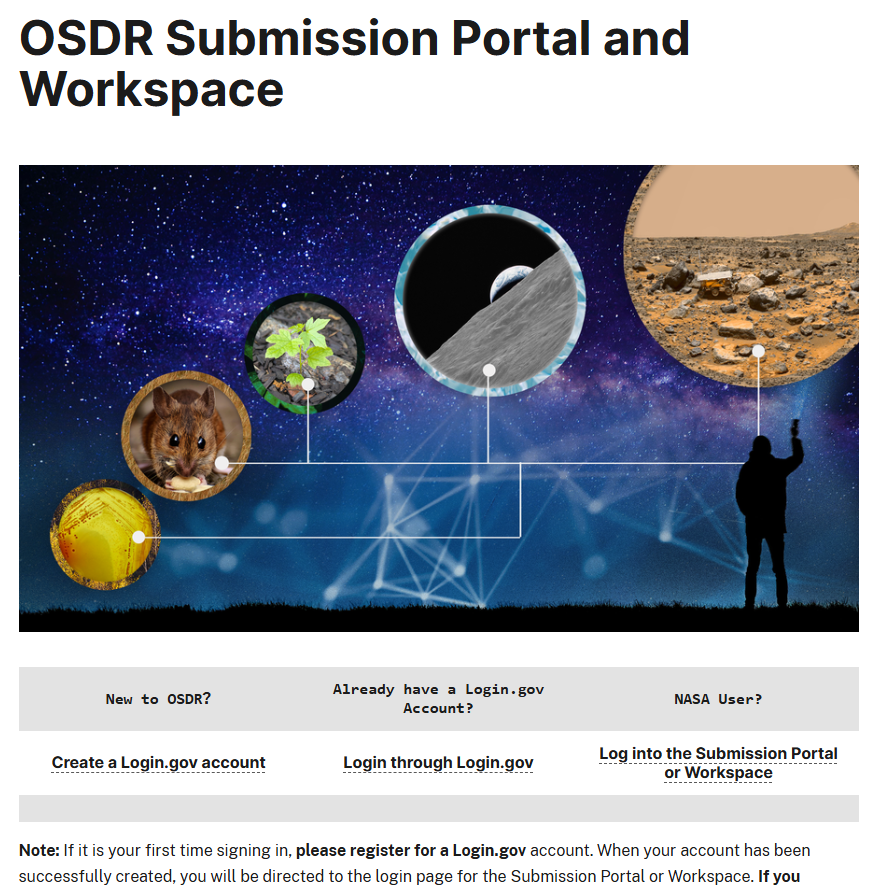
Step 6: Select ‘Submission Portal’ or ‘Workspace’
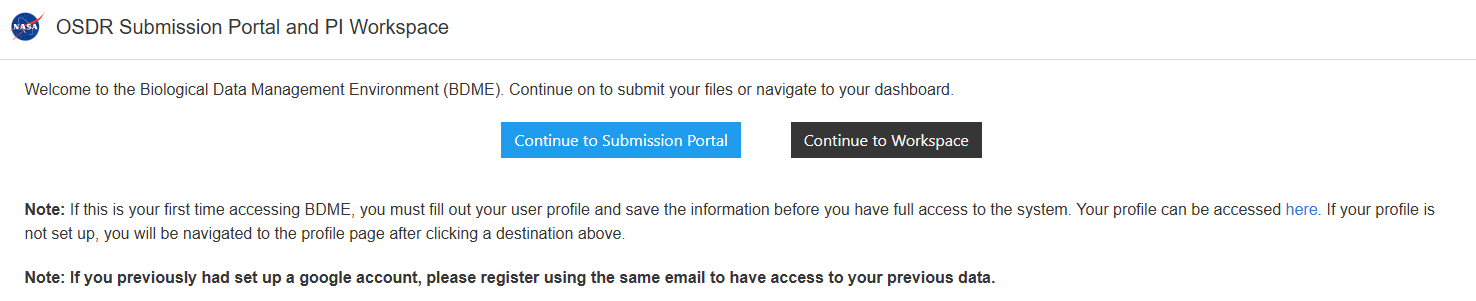
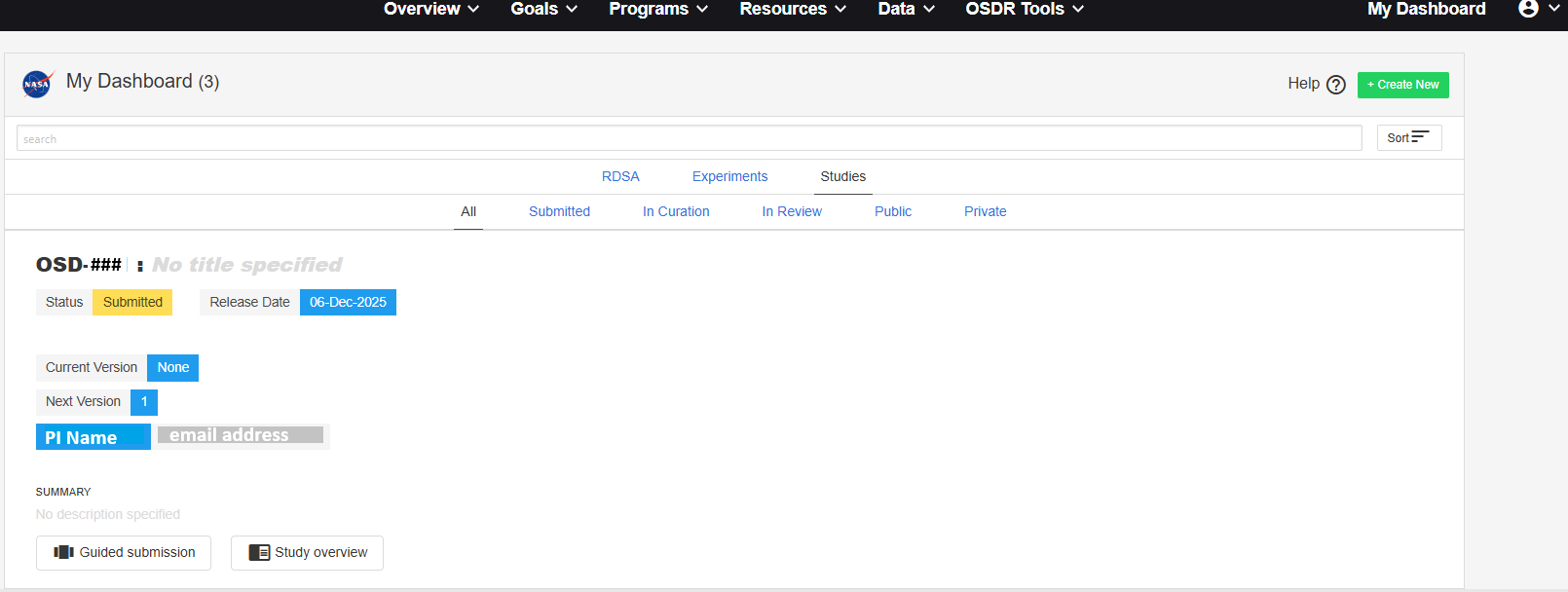
Step 7: BDME Dashboard (Submission Portal)
Once successfully logged in to BDME, you will see the “My Dashboard” landing page. You can now follow the instructions in the Data Submission Guide tutorial to submit your data to OSDR.
Step 8: Access the Workspace
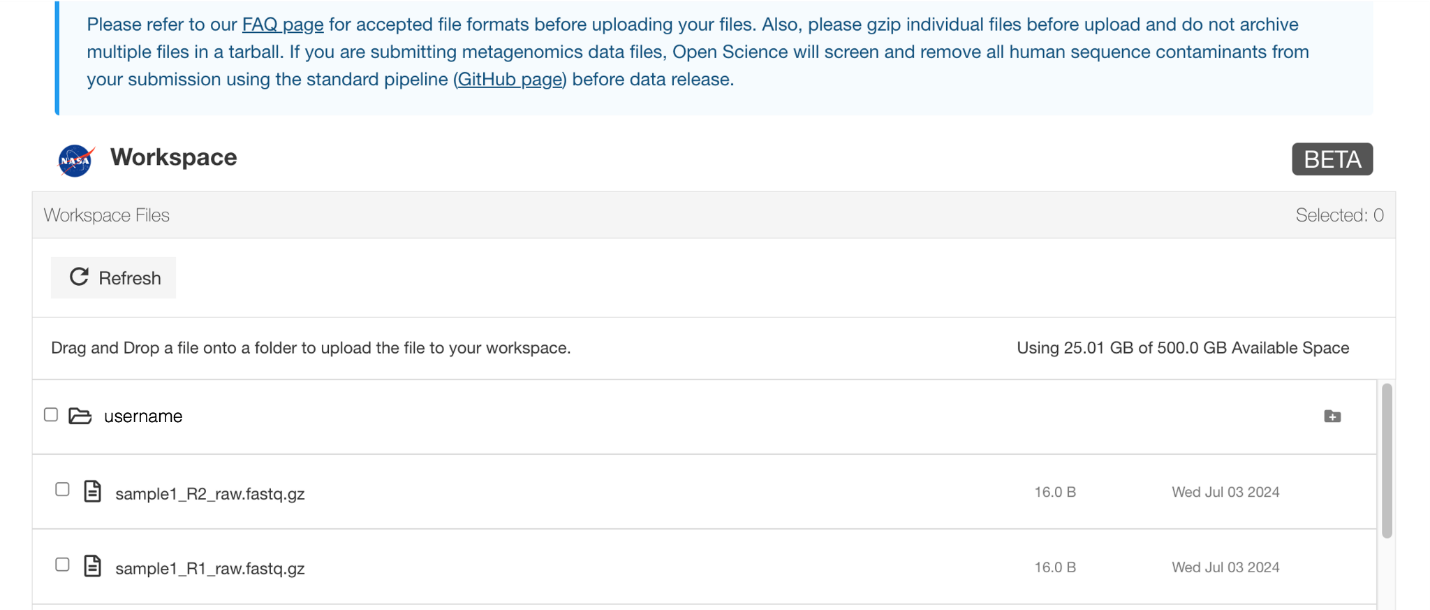
Once successfully logged in to the workspace, you will see the “Workspace” landing page. You are now able to follow the instructions in the Use the OSDR Workspace to create folders and upload your files to your workspace. During data submission, you will be able to specify any or all files in your workspace to be uploaded to your study(ies).
Troubleshooting Steps
Please note the Login.gov accounts are not managed by the OSDR team. Account issues can be addressed by submitting a help ticket at https://login.gov/contact/. Login.gov can be reached 24/7 at (844) 875-6446.
If you are still unable to successfully login to BDME or Workspace please reach out to arc-dl-osdr-help@mail.nasa.gov
If you log in and are unable to view files or studies previously set-up in the old submission portal, GEODE, please email us at arc-dl-osdr-help@mail.nasa.gov